
How to Use a Shipping Rate Calculator Without Being Surprised Later
9 September 2026 · 5 min read · by Courier Uncle team

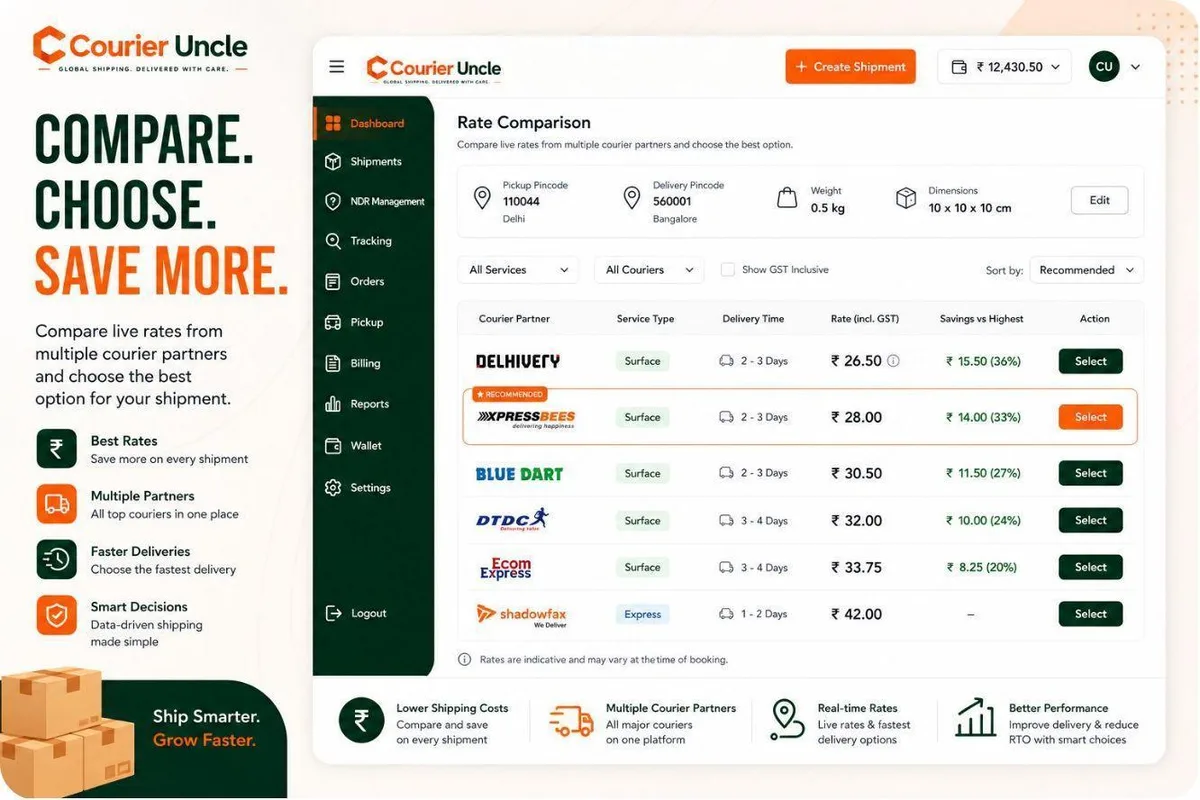
A shipping cost calculator is only as good as what you type into it. Most sellers use one for the first week, get a number that does not match the bill, and go back to guessing. This is how to use a calculator so the number it gives you is the number you pay, and how to read what it tells you.
The inputs, and why each one matters
Pickup pincode. Not your registered office; the place the courier collects from. This and the delivery pincode decide the zone, and the zone is the biggest multiplier on the rate.
Delivery pincode. The buyer’s. A calculator that only asks for the city is guessing the zone; pincodes are precise.
Dead weight. The parcel on a scale, sealed, in kilograms. Not the product weight from the supplier’s listing; the packed parcel. Weigh a sample of each SKU once and record it.
Dimensions. Outer dimensions of the packed parcel in centimetres. The calculator computes volumetric weight (L x W x H / 5000) and charges the higher of that and the dead weight. Leave these blank and the calculator assumes the parcel is dense; the hub will not.
Payment mode and COD amount. COD adds a collection fee that depends on the order value. A calculator that asks for the mode but not the amount will show the flat fee, which understates the charge on orders above roughly Rs 1,600.
Reading the output
A good calculator returns four things per courier, not one.
| Field | What it tells you |
|---|---|
| Chargeable weight | Which of dead and volumetric weight won, and therefore which slab you are in |
| Zone | The band the pincode pair fell into for that courier |
| Freight and COD fee | The two components of the pre-tax rate, separately |
| Estimated days | The courier’s transit time on that lane |
The chargeable weight is the field to look at first. If it is much higher than your dead weight, the box is too big, and no amount of courier switching will fix that as well as a smaller box will.
Using the calculator to make decisions, not just to see prices
Choose the box. Run the same product in two packaging options. The difference in chargeable weight, and therefore slab, is often the largest saving available on the order.
Choose the courier per lane. On any given pincode pair the spread between couriers is typically 25 to 40 percent for the same slab. The cheapest on Zone A is rarely the cheapest on Zone D. Let the comparison pick per order, or set rules that do.
Set a free-shipping threshold. Run your best-selling SKU to your top five delivery states. The average of those rates is what “free shipping” costs you per order, and your threshold should sit where the gross margin on the extra items covers it.
Decide COD versus prepaid pricing. Quote the same order both ways. The difference is the COD fee. Add the RTO risk on COD (a return doubles the freight) and you have the real cost of offering COD on that lane.
Where calculators go wrong
They use the generic zone map. Each courier has its own; a pincode pair can be Zone C on one and D on another. A calculator that prices every courier off one map is wrong for some of them.
They ignore the merchant’s rate card. Your negotiated rates differ from the public card. A calculator that shows the public card is showing someone else’s prices.
They drop the COD amount. Covered above; it is the single most common cause of quote-versus-bill differences.
They show the rate before GST without saying so. Fine, as long as you know. Add 18 percent to get the invoice figure, and claim it back if you are registered.
Courier Uncle’s calculator uses your card, each courier’s own zone map, the real COD amount and the same pricing engine the booking uses, so what you see is what you are debited.
A five-minute audit worth doing today
- Take your last ten shipments from the dashboard.
- Re-run each in the calculator with the recorded weight, dimensions, mode and COD amount.
- Compare to what was debited.
If they match, your inputs are right and your bill is explainable. If they do not, the shipment record shows which input differed, and that is the process to fix.
Frequently asked questions
Do I need the exact dimensions, or is a rough size enough?
Exact, to the centimetre. Volumetric weight is sensitive: a 30 x 25 x 15 cm box is 2.25 kg, and 32 x 27 x 17 cm is 2.94 kg, which can be a different slab.
What weight should I enter if the product is very light but the box is big?
Enter the real dead weight and the real dimensions. The calculator will show volumetric weight winning, which is correct, and the price will match the bill. Entering the volumetric figure as the weight double-counts nothing but confuses the record.
Why does the calculator show fewer couriers for some pincodes?
Not every courier serves every pincode, and some serve a pincode for prepaid but not COD. The calculator only shows the couriers that can actually carry that parcel.
Is the estimated days figure a guarantee?
No. It is the courier’s standard transit time for the lane. Weather, festivals and hub delays add days; the tracking timeline shows what actually happened.
Can I use the calculator through the API?
Yes. The rates endpoint takes the same inputs and returns the same per-courier breakdown, so your own systems can quote at checkout.
Does the calculator include fuel surcharge?
On Courier Uncle the rate shown is all-in before GST. There is no separate fuel line added later.
Ship smarter with Courier Uncle
Quote with real numbers and the calculator stops being an estimate. Open the rate calculator, no account needed for a first look.
Ship smarter with Courier Uncle
Compare live rates across multiple couriers on your actual routes — sign-up is free, no volume commitment.
Compare rates free →